


Key takeaways
- Google released Sheets canvas, using Gemini to generate dynamic, interactive mini-apps from tabular data via prompts.
- The feature operates as a bidirectional read-write layer, keeping underlying spreadsheet data synchronized in real time.
- Rollout targets Google AI Pro, Ultra, and higher-tier Workspace Business, Enterprise, and Education subscribers.
What happened
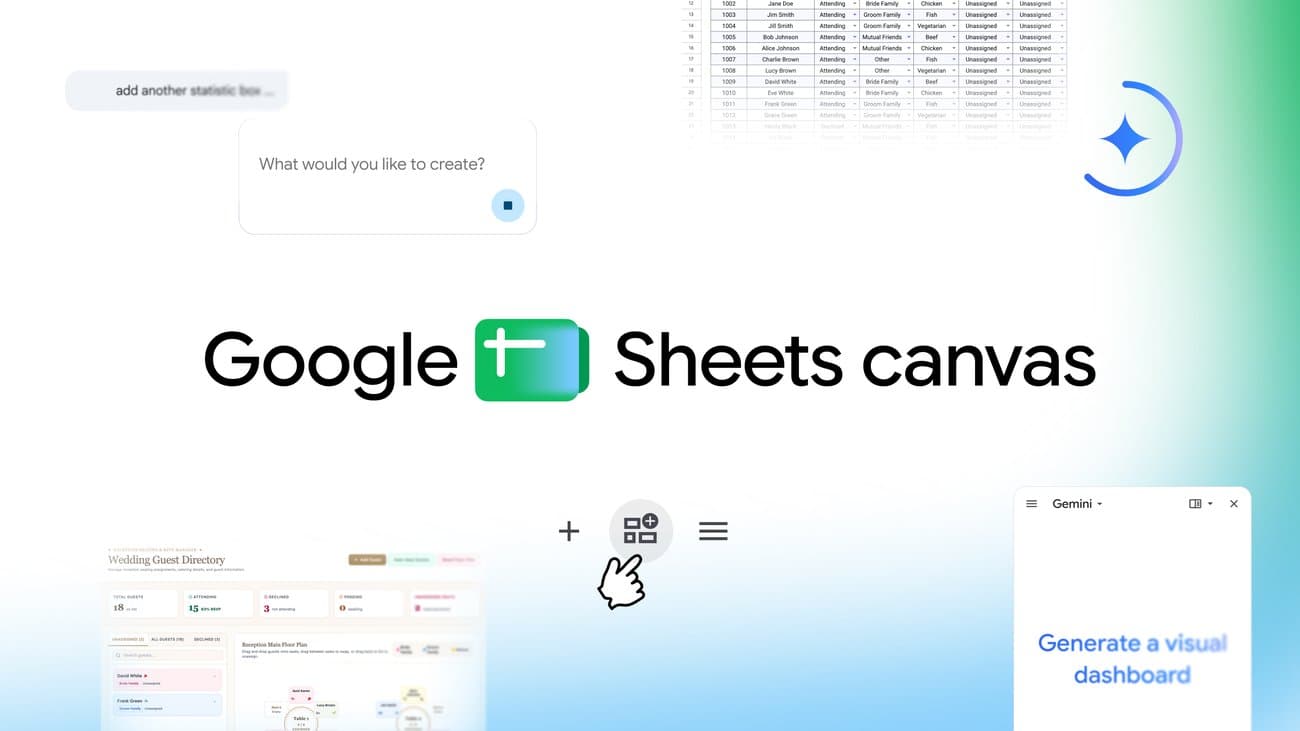
Google has announced the rollout of Sheets canvas, a new capability integrated directly into Google Sheets that utilizes Gemini to convert standard tabular rows and columns into interactive mini-applications and dashboards. Users can prompt the AI within the Ask Gemini side panel to automatically generate visual interfaces such as project trackers, event seating charts, roster dashboards, and study planners without manual formula wiring or external dashboard software.
Unlike static visualization tools or standard chart generators, Sheets canvas functions as an active read-write interface layered over the underlying sheet. Modifications made within the generated canvas dynamically synchronize with the raw spreadsheet rows, ensuring that edits, state changes, and updates remain consistent across both the visual interface and the base dataset.
The feature is currently rolling out globally in English. Access is restricted to premium tiers, including Google AI Pro and Ultra individual subscribers, Google Workspace customers on Business Standard, Business Plus, Enterprise Standard, and Enterprise Plus tiers, as well as educational institutions with specialized Google AI add-on licenses.
Why it matters
This release marks an important step in the evolution of generative AI from static text and image creation to generative user interfaces. By allowing users to manifest ad-hoc, purpose-built user interfaces on top of existing structured data via natural language, Google is lowering the technical barrier required to build functional internal tools. This move directly encroaches on territory traditionally occupied by standalone no-code platforms and custom internal dashboard builders.
For enterprise AI practitioners, the launch highlights the growing importance of bidirectional context and read-write state management. Rather than merely querying a foundation model to produce a one-off report, generative systems are increasingly expected to create stateful frontends that maintain data integrity with back-end enterprise repositories, pointing to the future design paradigm of workplace software.
What to watch
Watch how quickly major competitors like Microsoft respond by integrating comparable prompt-driven UI generation directly into Excel, Power BI, and the broader 365 Copilot ecosystem. As generative interfaces become standard in office productivity suites, enterprise buyers will closely evaluate latency, hallucination risks during automated data updates, and granular permission handling across collaborative workspaces.
Furthermore, observe whether Google extends this canvas paradigm beyond Google Sheets into Google Docs, Drive, and BigQuery, potentially transforming the Workspace suite into a fully unified, prompt-generated operating layer that challenges traditional software-as-a-service application models.