Should You Give an AI Agent Your Password? Safer Ways to Delegate Access
1Password, Google and browser makers now offer agent sign-in brokers, separate agent accounts and local AI. Here’s what each one protects, and what it doesn’t.
Key takeaways
- A reusable password is the least transparent way to give an AI agent authority to act for you.
- Credential brokers, separate agent accounts and local models each address a different boundary; none makes a whole workflow safe on its own.
- The rule that holds up: least privilege, a visible acting identity, meaningful approvals, and access you can review and revoke.
In this article
The bottom line
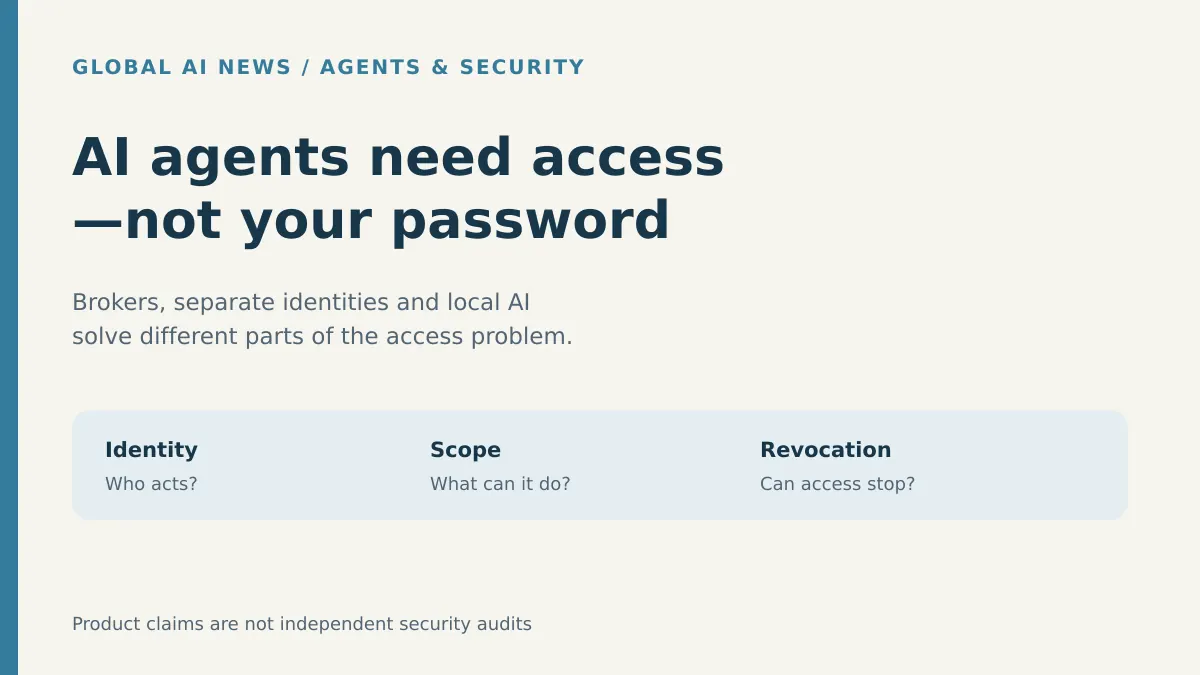
An AI agent that completes a task on someone’s behalf needs authority to act. Giving it a person’s reusable password is only one way to provide that authority—and often the least legible one. Recent product announcements describe alternatives: 1Password says its agent integration can broker a sign-in while keeping the underlying credential from the agent; Google says its Workspace “coworker” agent can receive a separate account; and browser features now connect AI to information in Gmail or run models locally. [1–4]
These are not interchangeable security designs. A broker changes how a secret is presented. A separate identity changes which account acts. Local inference changes where a model runs. A browser autofill feature changes how selected data is surfaced. Each can help with a specific boundary, but none independently answers what the agent may do, what it can read, how access is revoked, what gets logged or how a user checks an approval request. The vendors describe product behavior; this article is not an independent security assessment. [1–8]
The practical rule is simple: grant the smallest authority needed for a task, make the acting identity visible, keep approval meaningful, and ensure access can be reviewed and revoked. A password manager, a separate account or a local model is a component of that design—not proof that the whole workflow is safe. [5–8]
Three patterns for delegated access
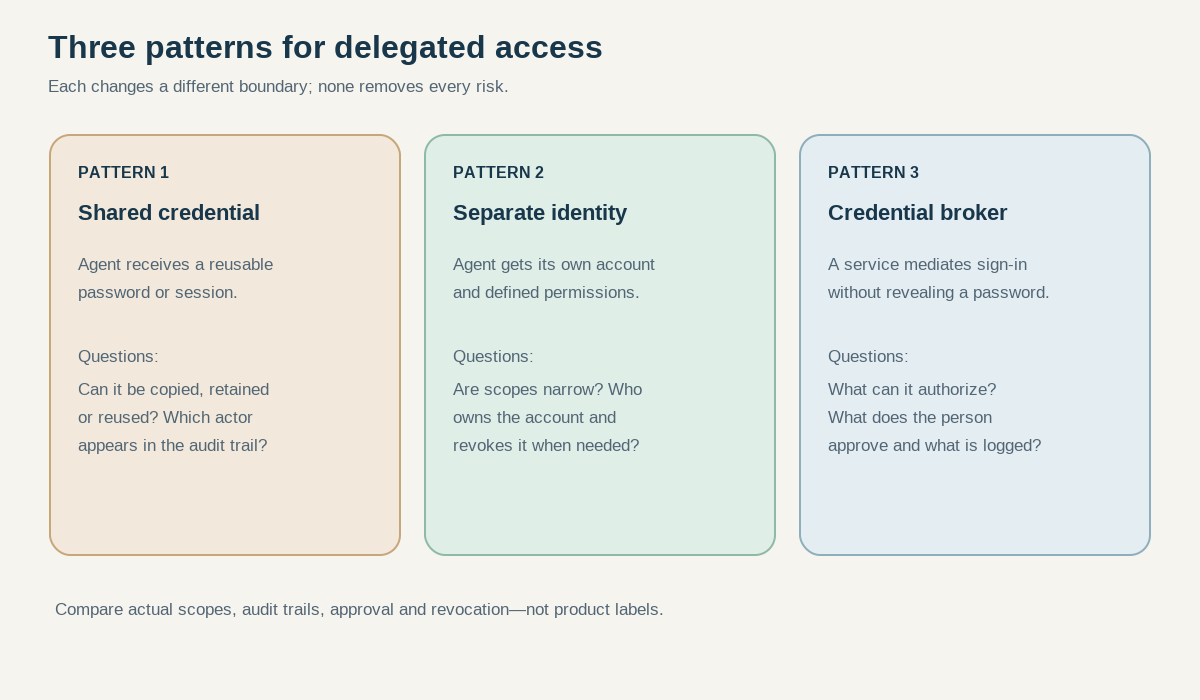
View data
| Pattern | What the agent receives | Potential benefit | Questions that remain |
|---|---|---|---|
| Shared credential | A reusable password or session | Simple to understand and set up | Can the agent copy, retain or reuse it? Which actions are attributable to the person? |
| Separate identity | Its own account and permissions | Actions may be attributed to an agent account | Are permissions narrow, monitored and promptly revoked? |
| Credential broker | A service mediates a sign-in without revealing the underlying credential, according to the vendor | The password can stay outside the agent context | What can the broker authorize, what does the user approve, and what is logged? |
The properties depend on the specific implementation and account configuration. [1][2][5–7]
Shared credentials are familiar but blur the boundary between a user and an agent. If a password or long-lived session is copied into a prompt, automation configuration or another service, it can become hard to tell which actor used it or to limit it to one action. NIST’s digital identity guidance and Google’s OAuth best practices both emphasize secure handling of authenticators and tokens; the broader lesson is to avoid treating a reusable secret as a convenient substitute for a scoped authorization design. [5][6]
A separate agent identity can make the actor easier to name. Google Cloud describes a Gemini coworker agent that can receive its own Workspace account, including an email address, calendar, Drive and directory presence. The vendor says colleagues can work with that account as they would with a team member. This is an identity model, not an automatic guarantee of least privilege: the administrator still needs to decide which data and actions the account can access, and how it will be managed over time. [2]
A credential broker can mediate access to an account without handing the agent the underlying password. 1Password says an agent can request a sign-in through its service, which identifies the agent and asks the person to review and approve the request. That may reduce direct exposure of a reusable credential to the agent. It does not establish that every downstream action is appropriate, that a user will understand every prompt, or that the broker has no access-related risk of its own. The design and operating controls still matter. [1][7]
A sign-in is only one part of the task
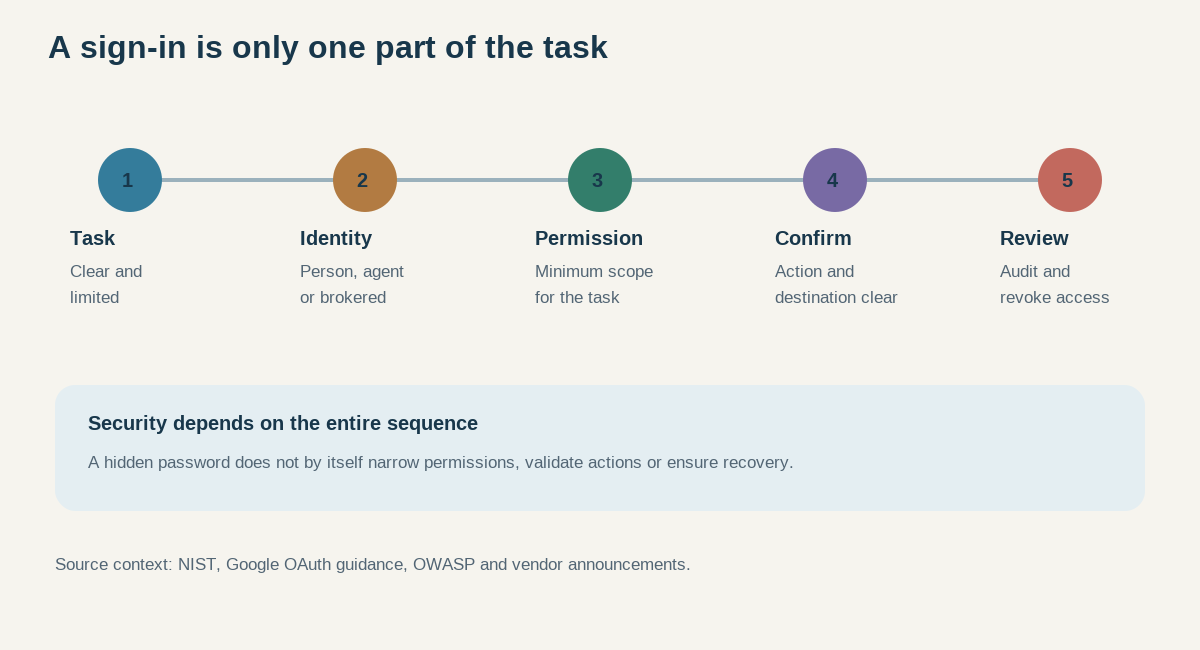
View data
| Control point | Security question |
|---|---|
| Task definition | Is the request clear and limited to one outcome? |
| Identity | Is the actor a person, an agent account or a brokered session? |
| Permission | Can it act only on the required account, resource and operation? |
| Confirmation | Can the person understand the requested action before approving it? |
| Audit and revocation | Can the action be attributed, reviewed and stopped? |
Security depends on the full sequence, not just whether a password is hidden. [1][2][5–8]
It helps to separate authentication—proving which account or service is involved—from authorization—deciding what that identity may do. A broker can make the sign-in step more controlled, but the downstream service still needs to enforce permissions. A separate account can improve attribution, but a broadly privileged agent account can still do too much. A user approval can be valuable, but only if it shows enough context to make a real decision. [1][2][5][6]
The same applies to tokens. OAuth access and refresh tokens are not identical to passwords, but they can also authorize access. Google’s OAuth guidance recommends secure storage and careful handling of tokens. An agent architecture should therefore account for the lifetime, scope, storage and revocation of any authorization material—not just whether a password appears in the conversation. [6]
Auditability should identify which account acted, which resource it touched and which permission allowed the action. Google says its coworker agent’s actions are attributed to the agent in an audit trail; that is a vendor claim, not a guarantee about every integration. Owners also need a documented way to withdraw permissions, sessions and tokens when a task ends or an account changes. Deleting a chat may not revoke a connected grant. [2][5][6]
Browser features are related, but not the same thing
Google Chrome announced enhanced autofill suggestions using information drawn from Gmail for forms, with Gemini and Personal Intelligence. Google describes examples such as order numbers, tracking details and flight bookings. This is a user-facing data retrieval and form-filling feature; it is not the same as creating a separate agent account or brokering a login to a third-party account. The source does not establish that every form or website is safe to fill, or that all data flows are risk-free. [3]
Opera announced WebAI, an early-preview capability that lets websites and browser extensions use AI models running locally on the device. Local model execution changes where inference happens. It does not by itself define which page or extension can access data, what the extension sends elsewhere, what output is trustworthy, or which account permissions are in force. Opera’s announcement describes the product direction; it is not an independent privacy or security audit. [4]
That distinction matters because “local” and “authorized” answer different questions. Local inference may avoid sending a particular model request to a hosted service, depending on the product and configuration. Authorization asks whether a site, extension or agent can read or change a protected resource. The location of the model does not determine the permissions of the surrounding software. Users should check the feature’s own controls and disclosures rather than infer all protections from the word “local.” [4][5][8]
Likewise, an autofill suggestion is not necessarily an autonomous agent’s permission to act. It may surface data to help a person complete a form. The user still needs to judge whether the destination is appropriate and whether the proposed information is correct. Keep the capability, the data source, the user’s choice and the site receiving the information distinct when describing such a feature. [3]
Failure cases worth planning for
An ordinary failure case is an agent that receives more authority than a task needs or misunderstands a request. OWASP identifies excessive agency as a risk to manage; limiting permissions, making consequential actions reviewable and keeping actions attributable can reduce the impact of mistakes. Human approval is useful only when it identifies the actor, destination and requested action. Repeated generic prompts can encourage approval without review. [5–8]
A practical comparison checklist
Before enabling an agent to use an account, ask:
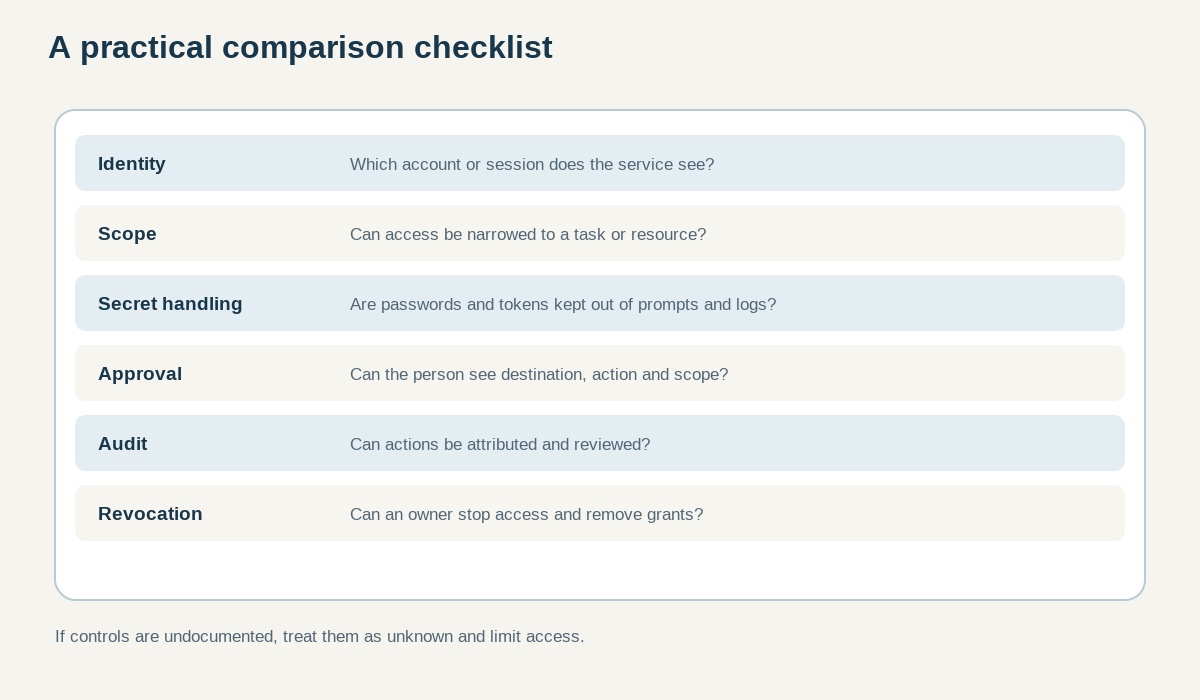
View data
| Control | Question |
|---|---|
| Identity and scope | Which account acts, and what can it do? |
| Secret handling | Are credentials protected from prompts and logs? |
| Approval and audit | Can the user review the action and later attribute it? |
| Revocation and recovery | Can access be stopped and the workflow restored? |
| Data flow | Where does information go, including browser and model services? |
Before enabling an agent, ask: which identity acts; what exact resources and actions are authorized; are passwords and tokens protected; does approval show the destination; can an owner review and revoke access; and where does task data flow? If the product does not document a control, treat it as unknown and limit access. [1–8]
These are questions for the product and account administrator, not a claim that every vendor has the same controls. If the answer is not visible in the product documentation, treat it as unknown and limit the agent’s access until it can be checked. [1–8]
What this means for…
Consumers: Prefer task-specific approval or an agent identity over sharing a reusable password. Review the destination and action before authorizing access.
Organizations: Use named identities, narrow permissions, clear owners and logs that distinguish agents from employees.
Developers: Use identity and token standards, reduce unnecessary scopes, protect credentials and make revocation part of the integration lifecycle.
Security teams: Test the complete workflow: identity creation, permission boundaries, approval, audit, data movement and revocation. A vendor’s launch post is a product description, not a security assessment.
Journalists: Distinguish a password broker from a separate account, an autofill feature and a local model. Attribute each product capability to its vendor; do not say any one approach eliminates risk.
What we don’t know yet
- How each announced product behaves across every supported account, integration and administrator configuration.
- Whether its approval flow exposes enough context for consistent, informed decisions.
- How quickly permissions, sessions and tokens can be revoked across connected services.
- Whether external security evaluations cover the complete end-to-end workflow.
- How websites and extensions handle data when local models are available.
The announcements establish that vendors are building different approaches to agent access. They do not provide a common independent test of security, privacy, usability or recovery. There is no single product feature that answers every access question.
What to watch next
- Independent testing of the complete agent-to-service flow, including token lifecycle and revocation.
- Documentation that identifies scopes, data flows, logs and administrator controls.
- Evidence showing how users distinguish a legitimate approval request from an unexpected one.
- Product updates describing permissions, account ownership and integration limits.
FAQ
Should I give an AI agent my account password?
Avoid copying a reusable password into an agent prompt or configuration when a product offers a more controlled authorization method. A password broker or a separate account may reduce some kinds of exposure, but neither is automatically safe. Check the requested permissions, identity, approval context, logging and revocation before connecting an account.
Is a separate agent account safer than a password broker?
They solve different problems. A separate account can make the acting identity visible and easier to scope. A broker can mediate sign-in without revealing the underlying password, according to its vendor. Either design can still be over-permissioned or poorly monitored. Compare the actual scopes, audit trail, approval and revocation controls.
Does local AI keep all my information private?
Not by itself. Running a model locally changes where inference happens, but it does not automatically define what a website or extension can read, what data it sends elsewhere, or which account permissions apply. Check the specific feature’s data-flow disclosures and permissions rather than assuming “local” means every part of the workflow stays on-device.
What does an approval screen need to show?
A useful approval should make the acting identity, destination, requested action and scope understandable before the user agrees. It should also make it possible to decline and later revoke access. A generic confirmation without meaningful context may not support an informed choice, even if a product includes a human approval step.
Are the announced products independently security-tested?
The cited launch posts describe vendor products and claims; they are not independent assessments of every configuration or integration. NIST, Google’s OAuth guidance and OWASP provide general security principles, not audits of these products. Look for published third-party evaluations, scope details, incident response and revocation evidence before treating a feature as assurance.
Sources
Tier 1 — vendor, standards and security guidance
- 1Password, Introducing 1Password for Agents, 22 October 2026. https://1password.com/blog/1password-for-ai-agents
- Google Cloud, Welcome to Gemini at Work 2026: Introducing the Gemini agent, 8 October 2026. https://cloud.google.com/blog/products/ai-machine-learning/welcome-to-gemini-at-work-2026
- Google Chrome, Chrome’s enhanced autofill helps you fill out forms with suggestions pulled from Gmail, 28 October 2026. https://blog.google/products-and-platforms/products/chrome/enhanced-autofill-gmail/
- Opera, WebAI: Local AI for the web, now in Opera, 27 October 2026. https://blogs.opera.com/news/2026/10/webai-local-ai-for-the-web-now-in-opera
- NIST, Digital Identity Guidelines: Authentication and Authenticator Management, SP 800-63B-4. https://pages.nist.gov/800-63-4/sp800-63b.html
- Google Identity, OAuth 2.0 best practices. https://developers.google.com/identity/protocols/oauth2/resources/best-practices
- OWASP GenAI Security Project, OWASP Top 10 for LLM Applications. https://genai.owasp.org/llm-top-10/
Tier 2 — independent reporting
- TechCrunch, 1Password launches a way for AI agents to log in on your behalf without seeing your password, 22 October 2026. https://techcrunch.com/2026/10/22/1password-launches-a-way-for-ai-agents-to-log-in-on-your-behalf-without-seeing-your-password/
Methodology note
Research and drafting for this article were AI-assisted; the text was reviewed against the cited sources before publication. Product descriptions are attributed to the vendor; NIST, Google and OWASP sources provide general security guidance, not independent audits of the products. No bank warning or claim that banks block external agents is included because a supporting primary statement was not located in this research check. Checked 31 October 2026. Companies named in this article are subjects of our reporting. See our editorial standards for how we handle conflicts of interest.

Aman Mishra, Chief Editor (reviewer). Aman Mishra is Chief Editor of Global AI News. He is responsible for the publication’s editorial standards and reviews articles against their cited primary sources before publication.
Global AI News Desk explains AI news using primary sources: filings, official documents, papers and company announcements. Claims made by companies are attributed to them. Spotted an error? Tell us — we correct mistakes openly under our editorial policy.